Webflow vs Wix: Which Is Better for Your Business?

Both Webflow and Wix are popular website builders serving millions of users globally. Each platform supports distinct business needs, workflows, and growth stages.
After guiding many business owners through this exact decision, we’ve seen how your platform choice directly affects both lead generation and revenue.
If you're a marketing director or business owner searching for the right website solution, here's our position: Webflow is the most strategic choice for scaling businesses.
We've broken this down into four deciding factors every growing company should weigh before committing to a web-building tool:
- Ease of Use vs. Long-Term Value
- Design Freedom vs. Conversion Potential
- SEO Control vs. Visibility Impact
- Pricing vs. Growth Scalability
In this article, we're examining each factor side-by-side, comparing how each site-building tool performs. Pricing matters, but a strategic decision shouldn’t trade long-term growth and visibility for a cheaper monthly fee. That's why we're making the case for Webflow, even though it costs more than Wix.
Quick comparison overview
#1 Ease of use vs. long-term value
Wix is easier to use than Webflow for beginners
Wix has earned its reputation as one of the most user-friendly website builders on the market. Even with zero web design experience, you can build a basic site in hours, thanks to its intuitive drag-and-drop editor and clear tutorials.
By comparison, Webflow comes with a noticeably steeper learning curve. For beginners, the platform can feel intimidating initially.
But that complexity is intentional. It’s the trade-off for having far more creative and technical control. With Webflow, you can fine-tune CSS, design fully custom layouts, and adjust responsive breakpoints with precision. This stands in contrast to most drag-and-drop builders like Wix that don't offer this level of design freedom.
Most users need 2–4 weeks to get comfortable with Webflow’s fundamentals. Mastering advanced capabilities can take 4–6 months or more, depending on how consistently you practise and build real projects.
Webflow also offers its own learning platform, Webflow University, which provides short courses and official certification programs.
For example, the beginner-friendly Ultimate Web Design Course runs for just 5 hours and 27 minutes. Meanwhile, Enterprise users gain access to Webflow University Pro, which includes live classroom-style sessions taught directly by Webflow experts.
Webflow better supports long-term business growth than Wix
If you're a solopreneur or a small team that loves a do-it-yourself setup, Wix is a great fit. You can quickly build a professional-looking website using its simple drag-and-drop tools, plus helpful AI-powered features to guide you along the way.
But if your business is growing and you're looking to take your digital marketing strategy seriously, Webflow is our top recommendation.
With extensive custom features, Webflow allows you to add or expand content without rebuilding layouts. The platform also comes with a structured, clean coding system. This gives you a stronger site architecture that modern search engines and users favour. (More of this technical aspect below. Read on.)
Wix’s strengths:
- Instant productivity: Create pages immediately without training
- Guided experience: AI site builder walks you through the entire process
- Visual simplicity: What you see is exactly what you get
- No technical concepts: No need to understand web development fundamentals
Webflow’s learning curve investment returns:
- Growing businesses: As your needs evolve beyond simple pages
- Brand differentiation: When competing in crowded markets where standing out matters
- Conversion optimisation: When you need precise control over user experiences
- Scaling content: When managing larger sites with hundreds of pages or products
"Using Wix is like renting a furnished apartment. Everything's there, but you can't move the walls. Webflow is like building a custom home. More work upfront, but you get exactly what you want down to the studs." — Kevin Chen, CEO of SuperPresence Professional Web Design Studio
#2 Design freedom and conversion optimisation
Both platforms offer extensive template libraries, but that's where the similarities end
Wix has 2,000+ templates, all free to use. If you want more premium designs, Wix sells Studio Templates in its marketplace.
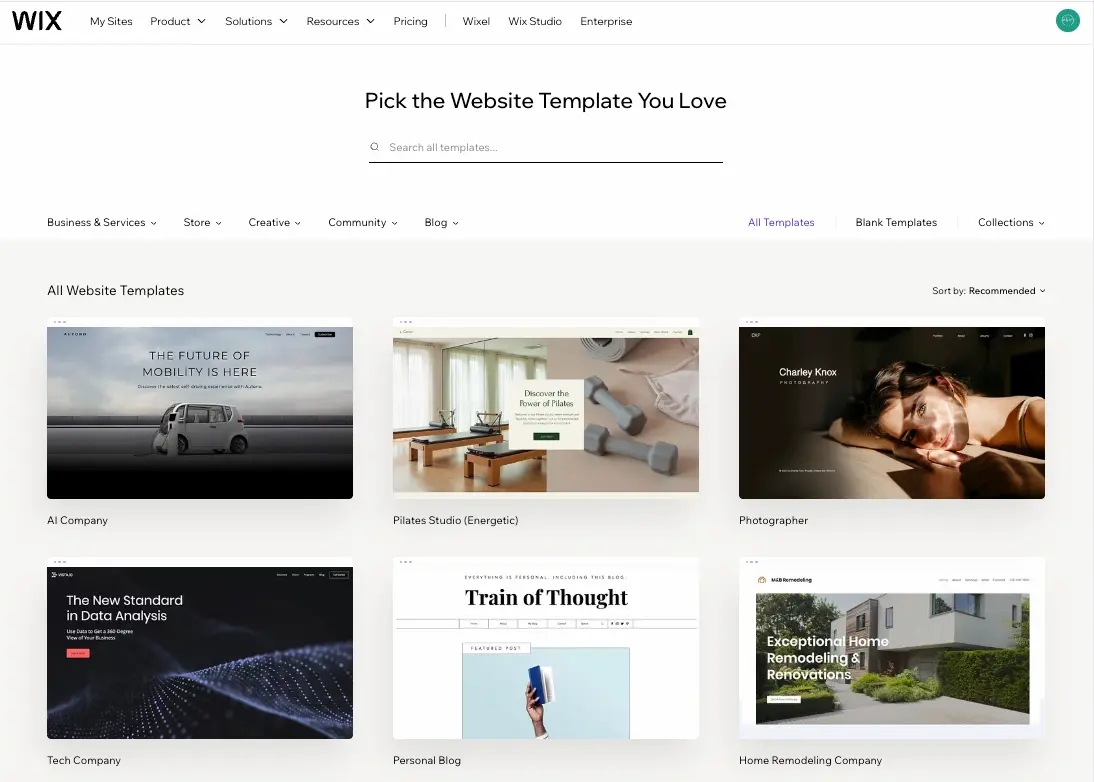
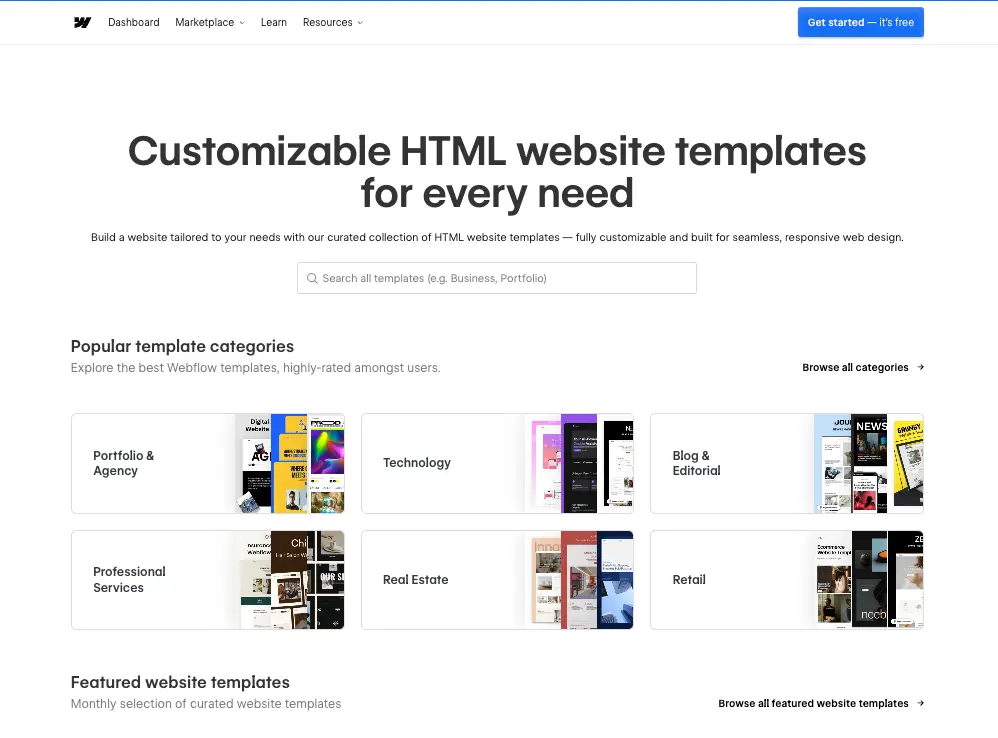
Webflow, meanwhile, offers over 7,000 HTML website templates (both free and paid), all fully customisable and responsive.
Webflow gives more design control than Wix
While both platforms provide extensive template libraries to get started, Wix comes with structural limitations that become apparent as you customise.
Each template follows a fixed framework that can be difficult to modify. If you want to change how the navigation functions or create a unique page layout, you'll often hit roadblocks.
Webflow reverses that limitation. You get full control over every visual aspect of your website. You can place elements exactly where you want them, adjust spacing down to the pixel, and create custom animations that trigger based on specific user actions.
Custom design freedom drives more conversions
As per a Forrester Research study, a well-designed UI can increase a website’s conversion rate by up to 200% and improve overall UX by as much as 400%.
Brand-aligned custom design builds trust and credibility in ways templates cannot replicate.
Wix’s design limitations make it challenging to implement high-conversion layouts, especially those requiring specific structures, unique interactions, or precise content placement. While you can customise a template, you’re still operating within its fixed boundaries.
Webflow’s full-canvas design system removes those constraints. Every visual element, animation, and micro-interaction can be crafted as a deliberate conversion trigger, not just decoration.
Imagine a testimonial fading in just before your “Get Started” button appears. Elements load cleanly, guide the user’s eye, reinforce trust, and push visitors naturally toward action. Webflow’s semantic, lightweight code ensures everything renders smoothly across devices, reducing friction and preventing drop-offs.
When you control every spacing value, font scale, timing function, and animation trigger, you design a user journey that feels intentional at every step. And that’s the kind of precision that turns thoughtful design into measurable conversion gains.
Design control examples:
- Custom interactions: Create unique hover states, animations, and micro-interactions
- Precise layouts: Design complex, multi-column structures that maintain proportion
- Component systems: Build brand-specific design systems with consistent elements
- Conversion optimisation: Test and implement specific layouts for maximum effectiveness
Business impact:
- Lower bounce rates through professional, purpose-built designs that keep visitors engaged
- Higher conversions through strategically designed user flows that guide visitors toward action
- Stronger brand recall through unique designs that stand out in crowded markets
- Competitive advantage through custom experiences that set your business apart
Even small UX issues can make 80% of contact-page visitors drop off. See how to fix them in 8 Contact Page Mistakes Costing You Leads.
#3 SEO features and visibility potential
Wix and Webflow both have SEO tools
Wix offers SEO Wiz, its guided optimisation tool. Webflow takes a different approach, giving you direct control over SEO elements without the hand-holding. Both platforms provide SEO tools, but they differ greatly in depth and flexibility.
On-page SEO difference
Webflow provides complete control over your on-page SEO elements. You can customise meta titles, descriptions, 301 redirects, XML sitemaps, and canonical tags. In short, everything search engines need to understand your site structure and rank your content.
Conversely, with Wix, you get a more guided approach to SEO. The platform offers built-in tools (called the SEO Wiz) to manage basic meta tags and descriptions, which are helpful for beginners.
However, this step-by-step guidance limits how deeply you can customise advanced elements.
For example, Wix offers limited control over advanced SEO settings such as schema markup and server-level configurations. This means you can't fine-tune the technical foundation of your website as deeply as you can on more developer-friendly platforms like Webflow.
URL structure is particularly important for SEO as well. Webflow gives you complete flexibility to create clean, logical URL paths. While Wix has tried to improve its URL customisation capabilities, it still imposes certain structural limitations.
Technical SEO gap
Because Wix relies on templates and drag-and-drop tools, it adds extra code layers. This produces more complex code that impacts crawling efficiency. The result: longer page loads and a harder time for search engines to parse your website.
Webflow, designed with developers in mind, follows clean-code principles that produce more structured site architecture. This is why websites built with it are easy to parse and understand by search crawlers.
More SEO control + better site architecture = higher brand visibility
Even with strong content and well-optimised metadata, your site won’t rank if search engines can’t crawl it efficiently. Your technical foundation decides whether you show up (or get buried) on the results page.
For example, one of the most critical technical factors, page load speed, has a direct impact on your revenue. Studies show that even a single-second delay can cut conversions by up to 7%. Faster pages don’t just rank higher in search. They drive more actions, more leads, and more sales.
Webflow sites generally start with stronger Core Web Vitals and faster load times. That built-in performance advantage quickly becomes an SEO edge, most notably when you’re competing for high-value keywords.
So if your business is serious about sustainable ROI, you need a platform built to grow with you, and Webflow consistently proves to be the stronger long-term investment.
AI search is reshaping visibility, our guide to Generative Engine Optimisation (GEO) breaks down what that means.
#4 Pricing vs. business growth
Webflow costs more than Wix. There's no way around it. But “affordable” isn’t just about the monthly cost, it’s about what you're willing to trade off and where you plan to be in three years.
Webflow is better suited for content-heavy business websites that need structure and scalability
If you're building a website with many service pages, blogs, case studies, or extensive content plans, Webflow generally offers more flexibility and long-term scalability than Wix.
Wix is easier and cheaper to start with, but Webflow’s CMS and design flexibility make it better for businesses planning to scale their content.
Which is best for content-heavy service businesses?
Wix is perfect if you need a quick, simple website with basic content needs at a low cost. But if your business relies on publishing lots of content, showcasing case studies, or scaling your SEO strategy,
Webflow's CMS offers far more power and flexibility, making it a better long-term investment for content-driven brands.
The real question: what's this decision worth in three years?
In many cases, what begins as a modest website can quickly evolve into a complex digital asset with more pages, higher traffic, richer content, and deeper integrations.
When Wix makes sense for your business
Wix makes perfect sense in specific scenarios: you need a portfolio site, you're selling a handful of products, or speed-to-launch matters more than long-term scalability. The lower investment is genuinely worthwhile for these use cases.
It can provide you with a professional-looking online presence with basic information about your services, simple contact forms, and standard product listing pages.
But when your business outgrows the platform's limitations (whether in page count, integrations, performance, or brand flexibility), you may find yourself rebuilding on a stronger system in 2–3 years, essentially paying twice for site migration and setup.
According to 2025 industry data, website migrations for mid-sized businesses typically cost between $5,000 and $20,000 and can delay your digital strategy by 3–6 months.
When Webflow is the better investment
Webflow requires more upfront investment in both learning time and budget. But that investment pays off when your website needs to actively drive revenue, not just exist online.
If you operate in professional services (law, healthcare, financial consulting) where your website drives client acquisition, Webflow gives you the tools to build a high-performing conversion engine.
For brand-focused companies competing in crowded markets, Webflow's design freedom allows you to craft a distinctive digital experience that sets you apart.
And for businesses with complex content demands (such as large-scale blogs, resource hubs, or learning portals), Webflow's robust CMS and architecture make future growth manageable, without the performance drop-offs or rebuilds you might face on simpler platforms like Wix.
In short, if you plan to scale and rely on your website as a strategic growth asset, Webflow is more than just a website builder. It's a long-term investment in brand credibility, scalable content architecture, and measurable conversion gains.
Ready to see if Webflow is right for your business?
Running on Wix and considering a move to Webflow? We'll help you make a confident, informed decision.
Get a free website review. We’ll audit your Wix site and give you a detailed, honest assessment of whether moving to Webflow would deliver better ROI.
If Wix genuinely fits your needs, we'll let you know as it is. Not every business needs to migrate. But if your business is ready for Webflow to elevate your digital presence and deliver higher ROI, we'll show you exactly how and why.
At SuperPresence, we help growth-focused businesses scale their digital presence and drive ROI through premium custom websites.
From Sydney, Australia with a decade in Asia, Kevin built his expertise driving product and growth at tech startups across fintech, logistics, consumer apps, and crypto. He founded SuperPresence with this expertise and passion, helping businesses create high-converting web experiences and digital growth strategies that drive real revenue impact.

Continue reading more expert-insights